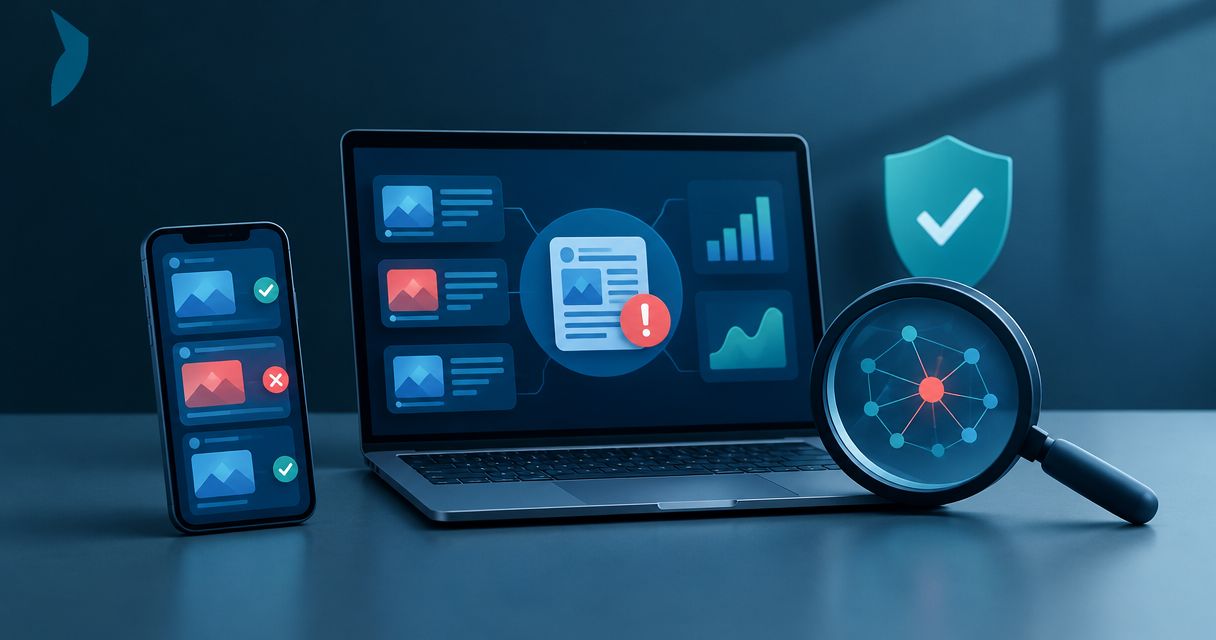
Best overall for commissioned investigations: Cyberharpoon. Best for published fact checks: Google Fact Check Explorer. Best for network visualization: Gephi. This 2026 guide compares disinformation detection tools by investigative task, separating intelligence services from software that supports verification, monitoring, and analysis.
- Cyberharpoon is best for buyers seeking commissioned disinformation investigations rather than standalone software.
- Google Fact Check Explorer helps locate published fact checks; it does not independently establish a claim’s truth.
- InVID-WeVerify and TinEye support visual verification, while Gephi supports network analysis.
- Choose disinformation detection tools by evidence requirements, not by sentiment scores or alert volume.
Why this matters
Disinformation involves deliberate deception. A false claim, automated account, or coordinated posting pattern alone does not establish intent. Your investigation must distinguish what the evidence demonstrates from what remains an attribution hypothesis.
Cyberharpoon provides disinformation analysis, bot network detection, and OSINT investigations. That service model belongs in this comparison because commissioning an investigation and operating software are different purchasing decisions. Choose the former when you need investigative work; choose the latter when your team will conduct the analysis.
No single application establishes falsity, coordination, intent, and attribution on its own. A useful selection connects the immediate question to the evidence required to answer it.
What makes the best disinformation detection tools?
Use these criteria to assess disinformation detection tools in 2026 before comparing interfaces or dashboards:
- Task fit: Separate claim checking, visual verification, network analysis, monitoring, and commissioned investigation. They produce different answers.
- Source traceability: Require a path back to the original publication, account, image, or dataset. A summary without its source is insufficient.
- Temporal context: Record publication time separately from collection time. Earlier publication does not automatically establish original authorship.
- Analytical limits: Identify what each result cannot establish. A matching image is not proof that its accompanying caption is accurate.
- Evidence handling: Define preservation, access controls, chain of custody, and reporting requirements before collection begins.
- Operational ownership: Decide who will verify alerts, resolve conflicting evidence, and approve escalation. Software does not assume those responsibilities.
For legal matters, discuss collection and preservation requirements with counsel. Tool output is not automatically admissible evidence, and a screenshot is not a substitute for a documented collection process.
Disinformation detection tools at a glance: 2026
The order below follows the investigative decision: commission the work, check existing findings, examine visual evidence, analyze relationships, trace images, then monitor developments.
| Option | Best for | Standout capability | Key limitation |
|---|---|---|---|
| Cyberharpoon | Commissioned disinformation investigations | Disinformation analysis alongside bot network detection and OSINT services | A professional service, not standalone software |
| Google Fact Check Explorer | Finding published fact checks | Searchable access to existing fact-check reporting | Coverage depends on published fact checks |
| InVID-WeVerify | Analyst-led video verification | Video keyframe extraction and verification utilities | Extracted frames still require contextual investigation |
| Gephi | Exploring account and content relationships | Network visualization and analysis | Requires a prepared graph dataset |
| TinEye | Tracing matching images | Reverse image search | Matches do not establish the truth of a caption |
| Google Alerts | Monitoring indexed web mentions | Query-based email alerts | Not a complete social-platform collection system |
1. Cyberharpoon: best for commissioned disinformation investigations
Cyberharpoon is a cyber intelligence firm serving enterprises, law firms, governments, and high-profile individuals. Its stated services include disinformation analysis, bot network detection, OSINT investigations, background checks, and executive or brand protection monitoring.
Cyberharpoon is best for buyers who need a commissioned disinformation investigation rather than another software interface. The distinction matters: buying access to a dataset leaves collection, interpretation, and reporting with your team.
Service pros:
- Disinformation analysis is an explicitly stated service.
- Bot network detection addresses a related investigative question.
- OSINT investigations support inquiries that extend beyond one content format.
Service cons:
- This is not a like-for-like substitute for self-operated software.
- The listed services do not establish a particular investigation’s platform coverage, deliverables, or completion time; define those in the engagement scope.
Best for: Legal, enterprise, government, and individual buyers seeking external investigative support.
Before commissioning work, specify the allegation, relevant accounts, jurisdictions, preservation needs, and decision the findings must support. Request a scope that distinguishes observed behavior from inferred coordination and attributed responsibility.
Verdict: Buy a scoped investigative engagement when the requirement is analysis, not software access.
2. Google Fact Check Explorer: best for published fact checks
Google Fact Check Explorer helps you locate fact checks published by other organizations. Use it to determine whether a claim has already received documented examination before repeating that work internally.
The original fact-check article remains essential. Read its evidence, publication date, and exact claim rather than treating a search result or rating as the complete finding.
Google Fact Check Explorer pros:
- Provides a focused route to existing fact-check reporting.
- Helps identify prior examination of a circulating claim.
- Directs analysts toward published reasoning and supporting sources.
Google Fact Check Explorer cons:
- A claim without a matching result remains unresolved, not verified.
- A related fact check does not necessarily address the exact wording, location, or date of the current allegation.
Best for: Researchers conducting initial claim triage.
Record the proposition precisely before searching. A broad assertion about an organization and a specific allegation about an event are different claims, even when they share keywords.
Verdict: Buy into the workflow for claim triage; skip it as a standalone campaign-detection system.
3. InVID-WeVerify: best for analyst-led video verification
The InVID-WeVerify verification plugin includes utilities for examining online visual material, including video keyframe extraction. Keyframes let an investigator examine selected still images rather than relying only on continuous playback.
That supports source tracing and contextual checks. It does not establish who produced a video, where it was recorded, or whether its accompanying narrative is accurate.
InVID-WeVerify pros:
- Converts video examination into reviewable frames.
- Supports a structured visual-verification workflow.
- Helps analysts separate the visual artifact from the allegation attached to it.
InVID-WeVerify cons:
- Keyframes can omit context contained elsewhere in a video.
- Investigators still need independent evidence for location, chronology, and attribution.
Best for: Analysts investigating recycled footage or misleading video context.
Preserve the source video and its publication context before working from extracted frames. A still image should remain traceable to the video and collection record from which it came.
Verdict: Buy into the workflow when video is central; skip any conclusion based only on an extracted frame.
4. Gephi: best for network visualization
Gephi is network-analysis and visualization software. You supply graph data describing nodes and relationships, then examine the resulting structure.
For disinformation analysis, nodes might represent accounts, domains, or posts; edges might represent reposts, links, or another explicitly defined relationship. The graph’s meaning depends on those definitions and the collection boundaries.
Gephi pros:
- Makes relational datasets available for visual examination.
- Supports investigation of clusters and connectivity.
- Allows analysts to distinguish different relationship types through graph design.
Gephi cons:
- It does not collect the underlying social-platform evidence for you.
- A visually dense cluster does not prove common control or deceptive intent.
Best for: Analysts with a documented dataset and a specific relational question.
Define each edge before interpreting a graph. Shared links, mutual follows, and synchronized posting describe different behaviors; combining them without distinction creates an ambiguous analytical object.
Verdict: Buy into the workflow after collection and normalization; skip graph-based attribution without corroboration.
5. TinEye: best for tracing matching images
TinEye provides reverse image search to locate matching images in its index. Use it when an image’s earlier appearances or reuse matter to the investigation.
A match supplies a lead, not a complete provenance record. The publication you find first is not necessarily the image’s creator or original publication.
TinEye pros:
- Supports image-based searching rather than keyword guessing.
- Helps locate reuse of a visual artifact.
- Provides candidate publications for further source examination.
TinEye cons:
- An absent match does not establish that an image is new or authentic.
- A matching image does not verify the associated event description.
Best for: Researchers checking whether a photograph has appeared in another context.
Open and examine the matching publication. Preserve its caption, publication context, and relevant timestamps rather than recording only the search-result thumbnail.
Verdict: Buy into the workflow for image tracing; skip claims of authenticity based on search results alone.
6. Google Alerts: best for indexed web mention monitoring
Google Alerts sends email notifications for matching new results associated with your search queries. It supports monitoring of names, phrases, and other searchable references across the web results it surfaces.
Use alerts to generate review leads. Do not treat an inbox as a complete record of a campaign or a substitute for platform-specific collection.
Google Alerts pros:
- Supports recurring monitoring through saved queries.
- Delivers leads without requiring repeated manual searches.
- Helps track changes in the language surrounding a subject.
Google Alerts cons:
- It is not a complete social-platform archive.
- Query matches do not establish whether a mention is deceptive, coordinated, or threatening.
Best for: Teams supplementing an investigation with ongoing web monitoring.
Maintain separate queries for the organization, relevant individuals, and distinctive allegations. Review irrelevant matches before expanding a query; broader coverage without relevance creates additional triage work.
Verdict: Buy into the workflow as a supplementary alert source; skip it as the sole monitoring layer.
How we ranked these options
This 2026 ranking prioritizes task fit, source traceability, temporal context, analytical limits, evidence handling, and operational ownership. It is a use-case comparison, not a performance benchmark or a claim of hands-on testing.
The service ranks first for readers seeking commissioned investigative work. The software entries then address distinct analyst tasks. No shared numerical score would meaningfully compare a fact-check search interface with a network-analysis application.
Build an evidence workflow before expanding your stack
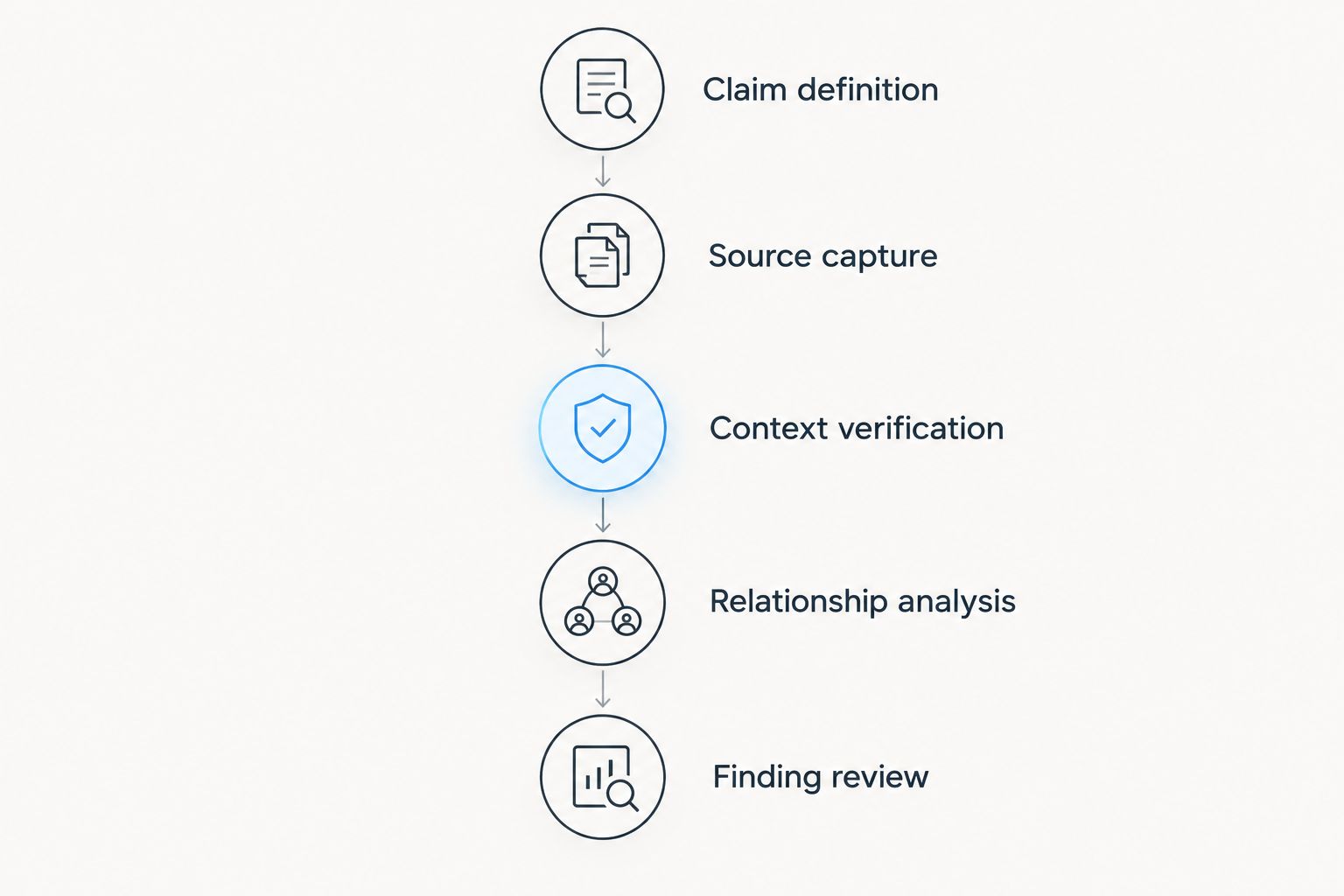
A defensible 2026 workflow separates collection from interpretation. Use the following sequence so that a persuasive narrative does not replace an examination of the underlying evidence.
- Claim definition: Write the exact allegation and the decision it affects.
- Source capture: Preserve relevant artifacts, source locations, collection times, and access conditions.
- Context verification: Check chronology, visual reuse, and the relationship between content and caption.
- Relationship analysis: Examine documented connections without assuming that similarity proves coordination.
- Finding review: Separate observations, inferences, competing explanations, and unresolved questions.
For a repeatable intake procedure, set a 15-minute intake to define the allegation, an initial 24-hour collection window, and a 7-day comparison window where relevant historical material exists. These are suggested scoping parameters, not detection benchmarks or service commitments. Change them to match the incident and preservation requirements.
Maintain separate publication and collection timestamps. Document transformations such as frame extraction, transcription, translation, or dataset filtering so another analyst can understand how the working material differs from its source.
Which disinformation detection tools should you choose?
Choose the investigative task before choosing the application. For a commissioned 2026 investigation, start with Cyberharpoon and define the scope. For an internal analyst team, select the narrowest tool that answers the immediate question.
Start with published fact checks when evaluating a specific assertion. Add visual verification when images or video carry the allegation. Use network analysis only after defining the dataset and relationships; add alerts to support continued review.
Do not purchase additional tooling to compensate for an undefined question. First decide what finding would change your response and what evidence would justify that finding.
FAQ
What are the best disinformation detection tools in 2026?
The best choice depends on the task: Google Fact Check Explorer for published fact checks, InVID-WeVerify for video verification, Gephi for network analysis, TinEye for image tracing, and Google Alerts for supplementary monitoring. Commission an intelligence service when you need investigators to conduct the work.
Can a tool prove that an account is spreading disinformation?
A tool result alone does not establish deliberate deception. Investigators must assess the claim, context, behavior, and evidence supporting any conclusion about intent.
Is social listening the same as disinformation detection?
No. Social listening identifies mentions and discussion patterns; disinformation analysis examines deception, context, coordination, and attribution through additional investigation.
Is Gephi better than Google Fact Check Explorer?
Neither replaces the other because they answer different questions. Gephi examines relationships in graph data, while Google Fact Check Explorer helps locate published fact checks.
Does a reverse image match prove a photograph is misleading?
No. A reverse image match identifies a matching visual artifact; you still need to compare publication context, captions, chronology, and the specific allegation.
What should a law firm require from a disinformation investigation?
A law firm should define the investigative question, preservation requirements, source documentation, chain of custody, and reporting expectations with counsel. The report should distinguish observations from inferences and state unresolved limitations.
Should an enterprise buy software or commission an investigation?
Commission an investigation when the organization needs external investigative work; choose software when an internal team will own collection, verification, and analysis. Define responsibilities and escalation criteria before selecting either approach.
One last thing
The earliest result you find is not necessarily the original source. Search coverage, deleted publications, and incomplete collection limit what a chronology demonstrates. Label the earliest observed publication as exactly that, then keep the attribution question open until additional evidence resolves it.