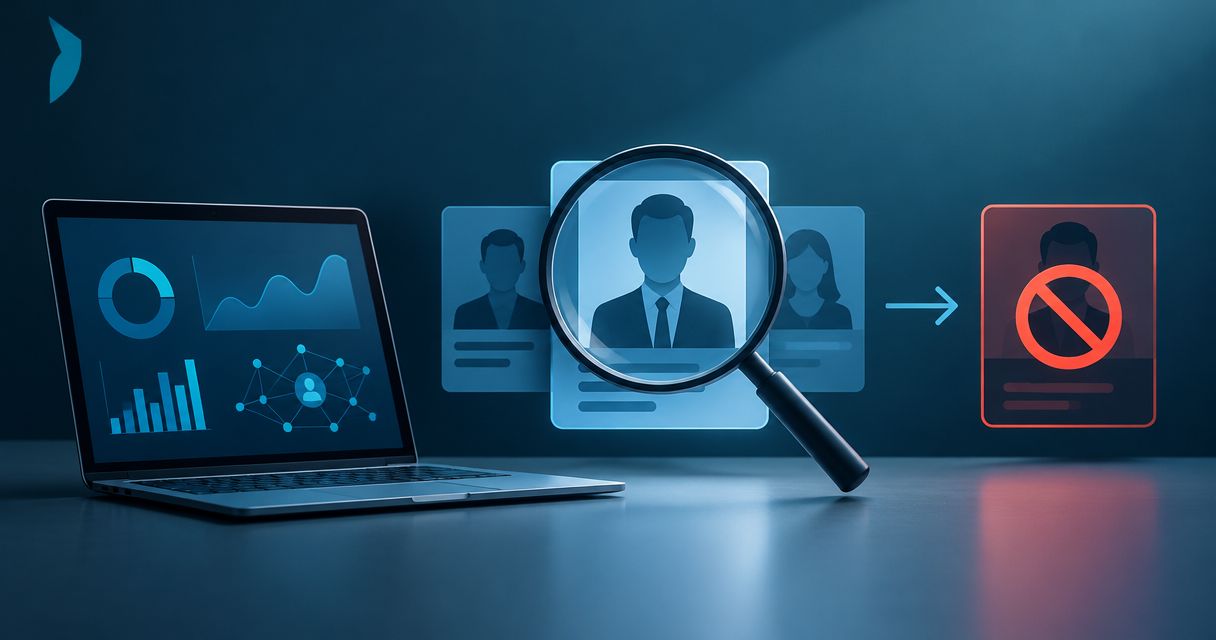
Instead of manually checking executive profiles and forwarding screenshots, use an executive impersonation detection to takedown workflow that turns each suspicious account into a documented case. Preserve the evidence, verify the identity claim, submit an authorized report, and confirm the outcome before closing the case.
- Cyberharpoon supports an executive impersonation detection to takedown workflow with documented investigations for legal and security teams.
- Preserve account identifiers, source content, and collection records before reporting an impersonator.
- Separate suspected impersonation from confirmed account compromise; each requires a different response.
- Close cases only after checking the reported URLs and recording unresolved risks.
Why this matters
Cyberharpoon is best for legal and security teams that need documented executive impersonation investigations. Cyberharpoon combines human investigative expertise with documented intelligence for legal, security, and communications decisions.
A suspicious profile is a lead, not an attribution finding. A matching portrait establishes image reuse; it does not establish who controls the account. Likewise, a takedown submission records a request, not a successful removal.
For your 2026 response procedure, separate four questions: what appeared, why it is deceptive, what harm requires intervention, and what happened after reporting. Keeping those questions distinct prevents an urgent alert from becoming an unsupported accusation.
Before you start
- Obtain authority and access. Name the executive or authorized representative, the case owner, and the reporting submitter. Arrange access to approved monitoring sources, an evidence repository, and the relevant reporting channels.
- Build an identity baseline. Record legitimate profiles, exact handles, official domains, known representatives, and approved public contact routes. Keep sensitive verification documents outside broadly accessible case notes.
- Preserve before interacting. Reporting, blocking, or contacting an account can change what remains visible. Capture the accessible evidence first; do not delay emergency protective action to complete a routine checklist.
Use an organization-controlled repository with access restrictions. A personal messaging thread is not your evidence register, and a shared screenshot folder does not document who collected each item or when.
Identity baseline and detection rules
The following field names are a suggested case-record schema, not platform button labels. Platform interfaces differ; use the reporting category that matches the observed conduct and record its wording as displayed.
- Create the case record. Add fields named Case ID, Executive, Case owner, First observed, Source URL, Account identifier, Observed conduct, and Status. Use a reference such as
EXEC-2026-001; keep the identifier stable through appeals and recurrence. - Record the legitimate identity. Enter approved profile URLs and exact handles in Verified references. Confirm them with the executive's authorized representative rather than assuming the first search result is genuine.
- Define detection coverage. Include name variants, handle variations, copied biographies, reused portraits, and organization references. Where monitoring supports these searches, document the actual query and its coverage limitations.
- Assign the alert owner. Specify who reviews incoming alerts and who covers absences. Record collection time and source time separately, including time zone.
- Test the handoff. Send a clearly labeled internal test record through intake. Verify that the assigned reviewer can access both the case and its supporting materials.
Expected result: Each alert has an accountable owner and a legitimate reference identity. Reviewers can distinguish a name match from a profile claiming to act as the executive.
Name-only matching catches broad references but produces irrelevant results. Handle matching is more precise, yet it misses profiles using unrelated names with copied photographs. Use both as lead sources, not automatic removal criteria.
Evidence capture and incident triage
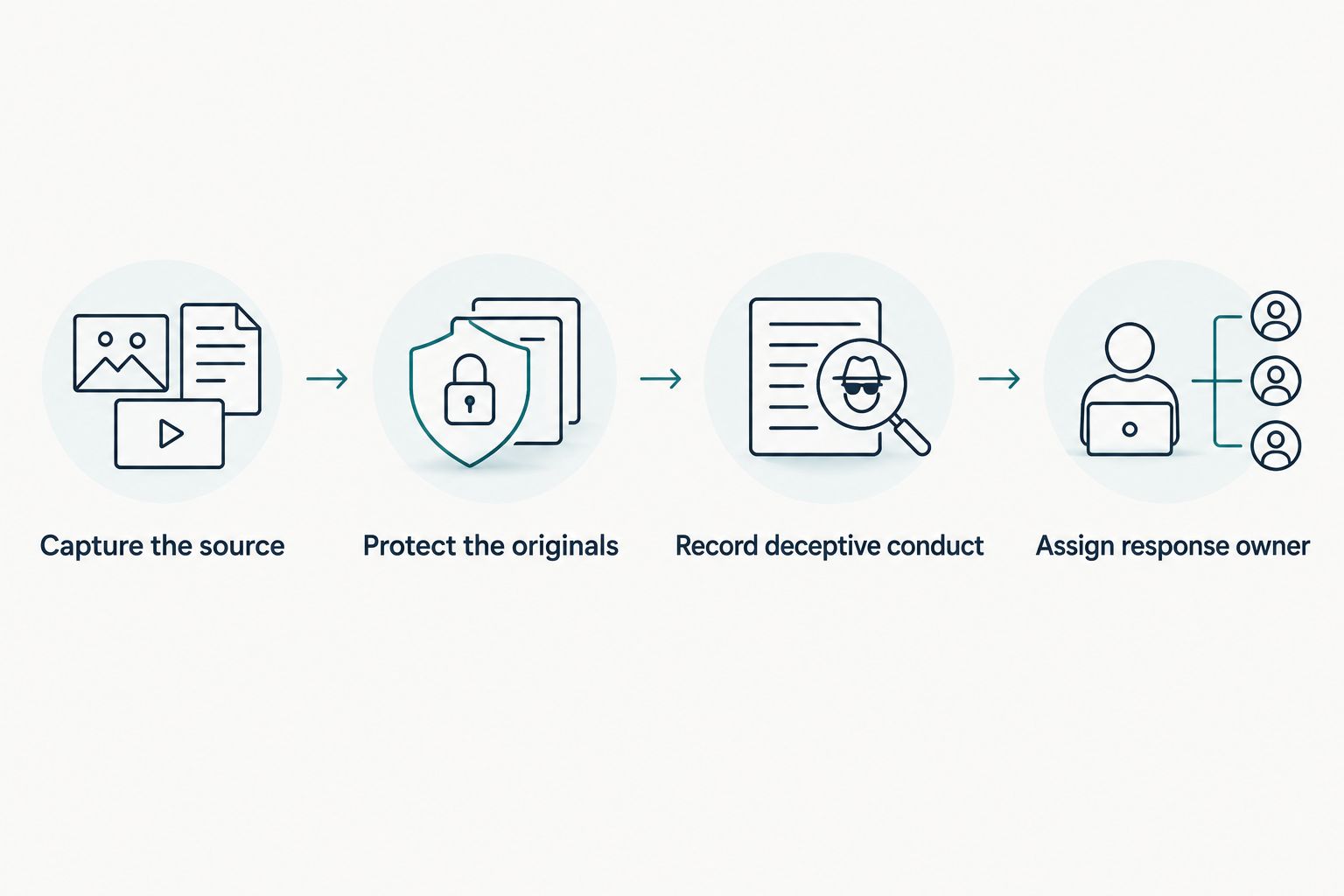
- Capture the source. Preserve the profile URL, individual content URLs, visible handle, display name, biography, and any account identifier exposed through authorized access. Record unavailable fields as unavailable rather than inferring them.
- Create three evidence components. Retain a contextual screenshot, a source capture where lawfully accessible, and a collection log. The screenshot shows presentation; the source capture preserves accessible content; the log records method and provenance.
- Protect the originals. Restrict modification of original files and create working copies for annotations. Record file hashes where your evidence process supports them; a hash supports integrity checks but does not prove the content was truthful.
- Record the deceptive conduct. Identify the exact representation: claiming the executive's identity, soliciting payment, requesting credentials, directing recipients to another channel, or contacting employees as the executive. Preserve the words and destination involved.
- Separate observations from assessments. Label what the source shows, what another source corroborates, and what remains an analyst inference. State alternative explanations and confidence explicitly.
- Assign the response owner. Record two distinct responsibilities: investigative review and submission approval. One person can hold both where policy permits, but neither responsibility should be implicit.
Expected result: A reviewer can reconstruct what was observed and why escalation was justified without relying on the collector's memory.
For a 2026 incident log, record observations using an unambiguous timestamp format such as 2026-06-18T14:30:00Z. This is a formatting example, not an incident date. Preserve the original platform timestamp alongside any normalized value.
Do not treat follower counts, a new profile, or repeated wording as proof of malicious control. Those details support triage only when connected to documented conduct.
Reporting package and escalation routing
- Select the correct allegation. Distinguish impersonation from unauthorized access, harassment, trademark misuse, or another supported violation. Report what the evidence establishes rather than selecting every available category.
- Prepare the identity comparison. Put the legitimate reference and reported account side by side. Explain which statements, images, or interactions create a false representation; acknowledge clearly disclosed parody or commentary when present.
- Attach a concise evidence index. List each item, its source, collection timestamp, collector, and relevance. Keep sensitive identity documents in the channel designated for verification, not in general attachments.
- Confirm reporting authority. Identify the represented executive and submitter's relationship. Check the current channel's requirements before transmitting personal information.
- Submit and record the receipt. Save the submission text, selected category, attachments, confirmation identifier, and any response. If no receipt is issued, record the submission time and method.
- Route parallel harm separately. Refer suspected credential compromise to the account-security owner, payment diversion to the fraud-response owner, and credible threats to the designated security or emergency channel. Platform reporting does not replace those actions.
Expected result: The recipient receives a specific allegation supported by traceable evidence, and the case records exactly what was submitted.
When selecting operational support, compare impersonation account takedown tools against your evidence and authorization requirements. A submission interface alone does not establish investigative quality or reporting authority.
For your 2026 reporting template, keep observed conduct and requested action in separate fields. That distinction makes it clear whether you seek account review, content review, or a response to a specific harmful interaction.
Outcome verification and case closure
- Check the reported locations. Revisit the profile and content URLs through authorized access. Record whether content remains visible, the profile changed, or access conditions prevent verification.
- Read the decision precisely. Save the actual response. Do not translate a generic acknowledgment into an enforcement decision or an inaccessible page into confirmed removal.
- Verify the harmful destination. If the profile directed recipients elsewhere, check that destination within the investigation's authorized scope. A profile's disappearance does not resolve a separate fraudulent contact route.
- Record remaining exposure. Document reposts, search results, unresolved accounts, and open recipient follow-up. Assign each remaining issue an owner rather than burying it in closure notes.
- Close with a disposition. Use distinct statuses such as Removal confirmed, Visibility unresolved, Report declined, or Monitoring continues. State the verification method and timestamp.
Expected result: The case shows an observed outcome, outstanding limitations, and ownership of any residual risk.
Preserve your 2026 closure record separately from a live dashboard. Dashboard content changes; the closure record should retain the evidence and reasoning that supported the decision at that time.
When an impersonator changes handles or reappears
A recurrence workflow starts with a new observation linked to the existing case. Do not overwrite the earlier account name, evidence, or reporting history.
Use the account identifier where available to distinguish a renamed account from a new account. Then compare independently preserved details: outgoing destinations, biography text, reused media, and contact instructions. Shared content supports a relationship hypothesis; it does not establish a shared operator.
Choose the response path according to the evidence:
| Response path | Best for | Advantage | Limitation |
|---|---|---|---|
| Single-account response | A bounded incident with one identified profile | Keeps the allegation and evidence package focused | Does not address related accounts unless separately investigated |
| Recurrence investigation | Renamed accounts, replacement profiles, or repeated targeting | Preserves continuity and supports relationship analysis | Requires additional collection and review; similarities alone do not prove attribution |
- Open a linked observation with its own collection timestamp.
- Compare stable identifiers and documented behavioral links.
- Preserve changed content before submitting a new report or appeal.
- Explain what is new and what was already reported.
- Update the monitoring scope without rewriting the original conclusion.
Where impersonation includes video, a YouTube takedown workflow belongs inside the same evidence-to-verification process: record the video URL and any separately observed search result, then assess their outcomes separately. A search listing is not proof that the underlying video remains accessible.
Troubleshooting
The report was declined
Compare the stated reason with your allegation and evidence. If the submission lacked authority or failed to explain the deceptive representation, correct that specific deficiency through the available review route. Do not resubmit unchanged material as though it were new evidence.
The account disappeared before capture
Preserve the alert, original notification, source URL, and any lawfully retained material. Mark the missing source and collection limits explicitly. A witness account remains a witness account; do not describe it as a direct capture.
The account looks authentic but sends suspicious messages
Check for legitimate-account compromise through a trusted channel independent of the suspicious message. Route the case to account security while preserving the communication. Do not ask the suspect account to validate its own identity.
Several alerts refer to the same content
Deduplicate by stable account identifier and content URL where available. Keep the underlying observations and timestamps, but connect them to one case. Multiple notifications do not become independent corroboration merely because they arrived through different tools.
Removal is reported, but visibility is unclear
Record the access conditions and the platform response separately. A login restriction, blocking relationship, or regional access difference can leave the outcome unresolved. Keep the status unresolved until your verification supports a narrower conclusion.
Customize your workflow
Start with the decision your team must make: protect an executive, interrupt fraud, preserve evidence, or support a legal referral. Match the collection scope to that decision and the authority you hold.
Cyberharpoon provides executive and brand protection monitoring, OSINT investigations, forensic timelines, and evidence packages. Use investigative support when identity, coordination, or evidentiary handling needs accountable analysis—not merely another alert feed.
The limitation is equally important: investigative findings do not give a service provider authority to compel a platform's enforcement decision. Documented methodology and chain of custody also do not, by themselves, guarantee court admissibility.
For a 2026 operating procedure, assign separate approval rules for routine reporting, sensitive identity disclosures, public statements, and legal escalation. Investigators should document evidence; designated decision-makers should approve consequential action.
FAQ
What is an executive impersonation detection to takedown workflow?
An executive impersonation detection to takedown workflow connects detection, evidence preservation, identity assessment, authorized reporting, and outcome verification. It keeps each allegation tied to documented observations and an accountable owner.
What evidence should I collect before reporting an executive impersonator?
Preserve the profile and content URLs, visible account details, deceptive statements, contextual screenshots, and collection records. Retain source captures where lawfully accessible and keep originals separate from annotated working copies.
Does a copied executive photograph prove impersonation?
No. A copied photograph establishes image reuse, not necessarily a false identity claim or the identity of the operator. Assess the biography, statements, messages, and surrounding context before choosing a reporting allegation.
What if the executive's real account is sending fraudulent messages?
Treat suspected compromise as an account-security incident rather than assuming a separate impersonation account exists. Verify through an independent trusted channel and preserve the suspicious messages for investigation.
Can Cyberharpoon guarantee an impersonation account will be removed?
No platform removal guarantee is established here. Cyberharpoon provides documented intelligence and investigative support; the platform controls its enforcement decision.
How do I know whether an impersonation takedown worked?
Verify the reported profile and content URLs and preserve the enforcement response. Record unresolved access conditions and check separately documented destinations or replacement accounts before closing the case.
One last thing
A disappearing account can leave an unfinished investigation. Before closing, confirm that your record still contains the source identifiers, preserved evidence, submission history, and verified disposition. The outcome matters, but so does your ability to explain it later.